HDMI Microscopes
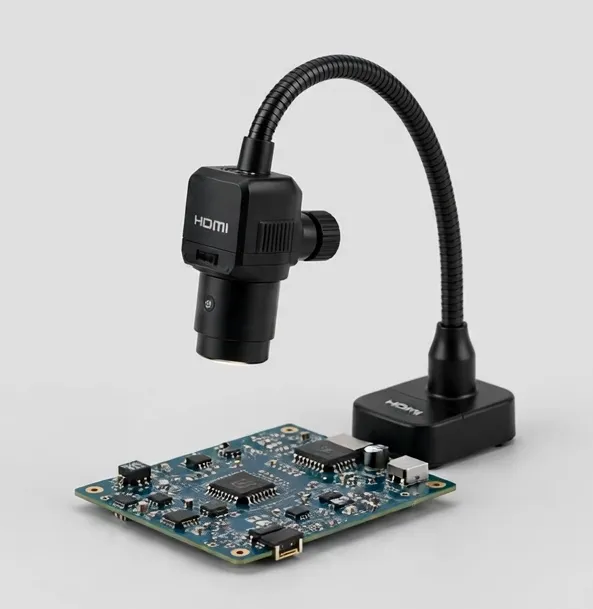
An HDMI microscope is a camera, a lens and a cable: the image goes straight to a monitor or TV you already own. That architecture buys three things bench workers care about — a large shared picture, low latency between hand and eye, and a stand that can be an arm instead of a post, leaving the bench clear for tools.
Latency is the specification nobody prints and everybody feels. When you move a soldering iron, the image must move at the same instant, or your hands start working a half-second behind your eyes. Camera-based HDMI models process the image in the camera and feed the display directly, which is why repair benches standardized on them.
Resolution claims need the same skepticism as magnification. A 4K sensor is worthwhile when the lens resolves enough detail to feed it and when your monitor is 4K; otherwise a good 1080p system is the honest value. Both appear in this category, labeled plainly.
HDMI models also split into two working styles. Standalone camera microscopes (a head on an arm or post) are purpose-built for soldering and inspection, with long working distances. Camera add-ons mount on trinocular or stereo heads you already own, adding a big-screen view and recording to an optical microscope. The right choice depends on whether you are building a station or upgrading one.
Most HDMI microscopes also offer USB output for capture and measurement on a computer, and microSD recording for quick documentation without a PC. If you record work for customers or QC files, confirm the recording path before you buy — it differs between models, and each Focara listing states it.
Setting up an HDMI station takes minutes: camera head on its arm or post, cable to the monitor, power. The two setup decisions that matter are monitor placement — at eye level, close enough that the image fills your working view — and lighting angle, since a monitor shows glare faithfully. Most benches add a ring light within the first week.
HDMI microscopes also age well. The monitor can grow, the camera can move to a different stand, and a trinocular camera can migrate to a new head. If your work may expand from inspection into measurement or team training, the HDMI/USB combination keeps those doors open without replacing the core instrument — which is why this category anchors most professional benches we describe.
Consider also the second screen effect: a monitor-visible microscope changes a workplace. Trainees learn by watching real work instead of crowding an eyepiece; customers see the fault you are quoting on; inspectors can call a colleague's eyes over without surrendering the station. Shops that install their first HDMI station routinely report the shared view — not the resolution — as the change that mattered most.
Firmware and menus are the last differentiator nobody lists: exposure control, white balance, grid overlays and measurement cursors live in the camera's menu system, and they decide how professional the station feels in daily use. The models in this category expose those controls directly, with remotes on the camera stations so adjustments do not shake the head. Read the product pages for the specific control set — it is specified per model, not assumed.
HDMI Microscopes — models
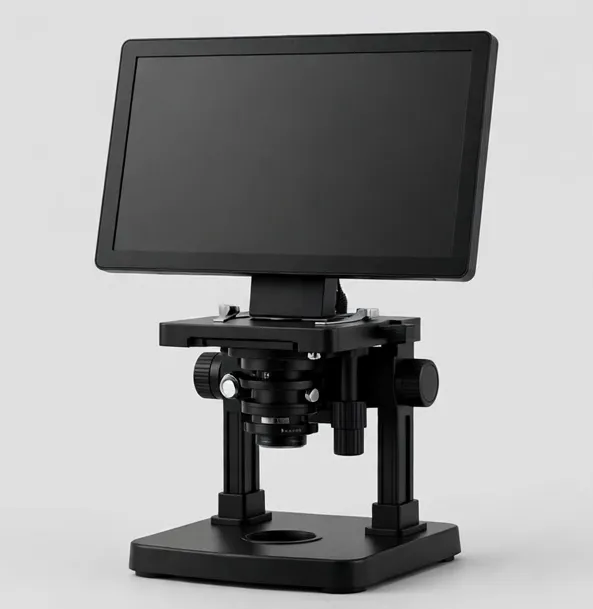
Big-screen 10.1-inch microscope with HDMI output for teaching and shared viewing
A 10.1-inch IPS screen, dual lens options and HDMI output make this the shared-view microscope for classrooms, training benches and detailed coin sessions.
10.1-inch IPS LCD10x–1600x across two lensesWorking distance to 6 in
$169.99
Sample catalog — order confirmed by email
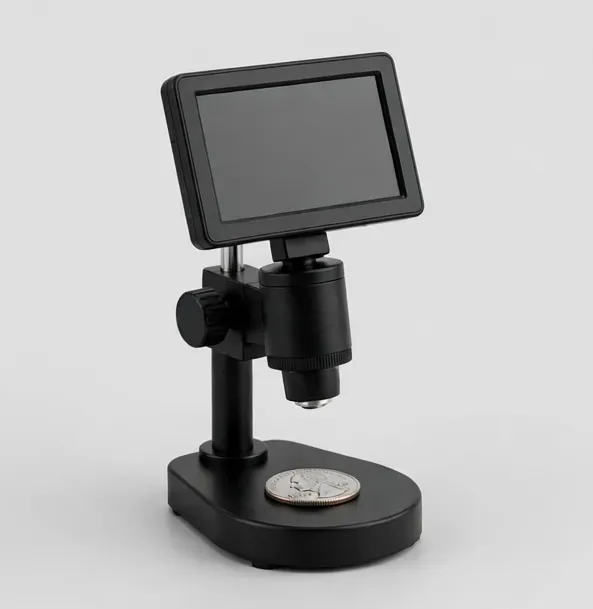
Whole-coin view on screen, with HDMI for closer die and mint-mark study
Built for collectors: a wide field of view that frames a whole large coin on the 7-inch screen, then zooms to mint marks and die details. HDMI output included.
7-inch LCD10x–1300xWorking distance to 5.5 in
$119.99
Sample catalog — order confirmed by email
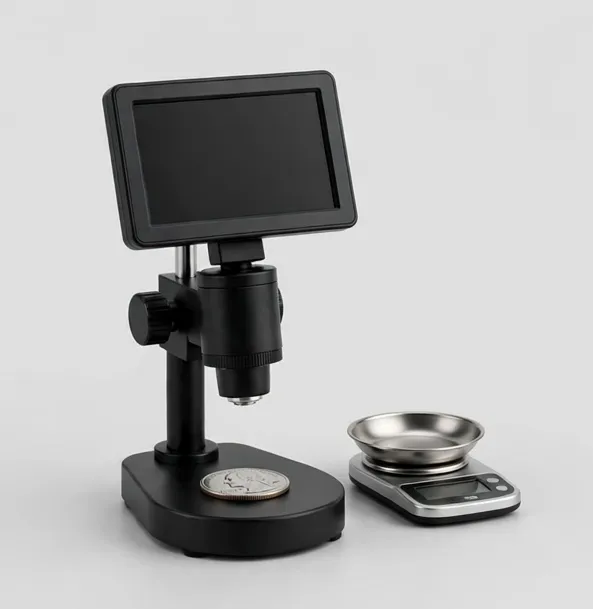
See it and weigh it: 7-inch coin microscope with a 0.001 g bench scale in the box
The CoinView 7 package plus a separate 500 g / 0.001 g precision scale for recording coin weights alongside your photos — a useful first check for suspect pieces.
7-inch LCD10x–1300x
$129.99
Sample catalog — order confirmed by email
4K HDMI camera microscope on a flex arm — autofocus keeps joints sharp while you work
A 4K HDMI inspection camera on a flexible arm with autofocus and on-screen measurement. Long working distance leaves room for an iron, tweezers and hot air.
None built in — HDMI output to your monitorApprox. 10x–280x optical zoomWorking distance to 8 in
$289.99
Sample catalog — order confirmed by email
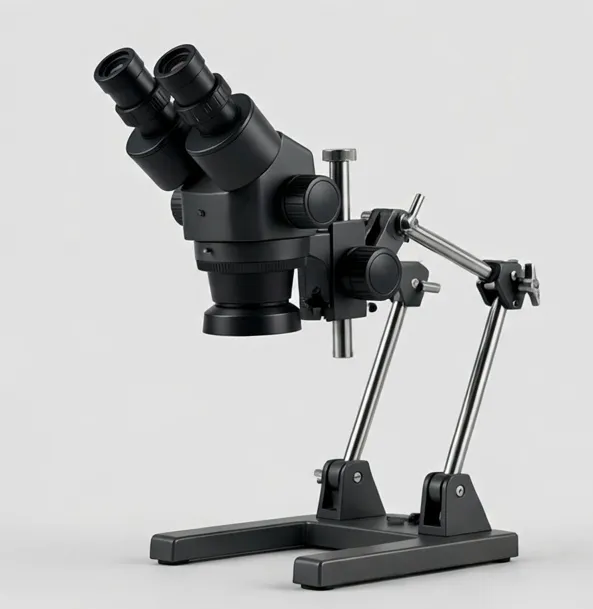
Two lenses, one boom arm: wide board view plus high-power detail, on HDMI and USB
A boom-arm camera microscope with two swappable lenses — a wide lens for whole-board orientation and a detail lens for joints — feeding HDMI and USB at once.
None built in — HDMI output to your monitorApprox. 8x–260x optical across two lensesWorking distance to 9 in
$269.99
Sample catalog — order confirmed by email
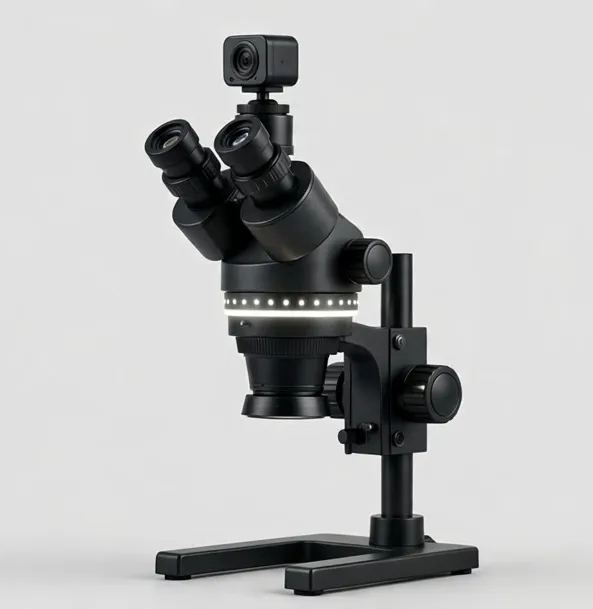
Stereo viewing plus a camera port and ring light — train others while you work
A trinocular stereo microscope (3.5x–90x with included Barlow lenses) with an HDMI camera and LED ring light — demonstrate, record and inspect in one station.
7x–45x optical zoom; 3.5x–90x with included 0.5x and 2x Barlow lensesWorking distance to 4 in
$949.99
Sample catalog — order confirmed by email
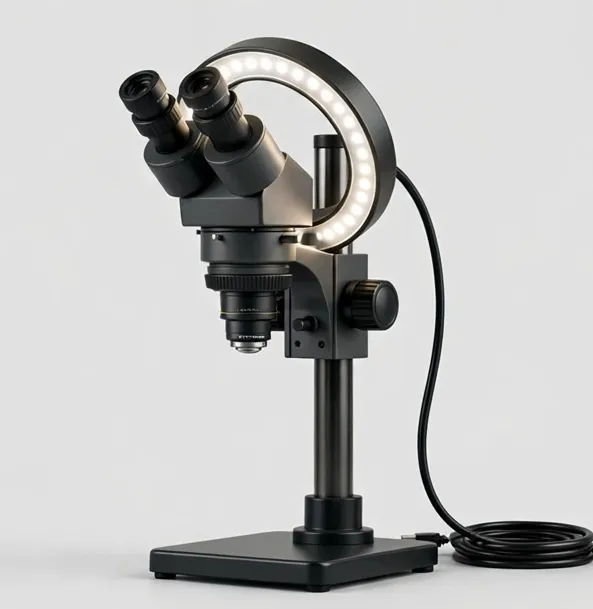
4K inspection with calibrated measurement for QC records and defect documentation
A 4K inspection system with calibrated on-screen measurement, segmented ring light and an XY stage — built for QC documentation on benches and production lines.
Approx. 12x–300x optical zoomWorking distance to 10 in
$1299.99
Sample catalog — order confirmed by email
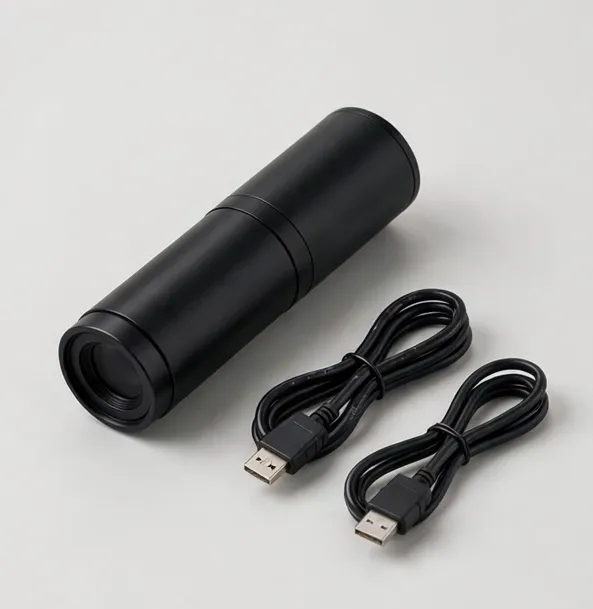
Turn your existing microscope into a 4K camera station
Add 4K HDMI imaging and USB capture to a trinocular or stereo microscope you already own. C-mount and eyepiece adapters included.
— (camera) screen
$279.99
Sample catalog — order confirmed by email
Buying guidance: hdmi microscopes
Latency first
For hand work under the lens, direct HDMI from camera to monitor is the low-lag path. Avoid routing through a computer for live soldering.
Match the monitor
A 4K camera earns its price on a 4K monitor at inspection distances; on a 1080p bench monitor, a quality 1080p camera is the smarter spend.
Arm or post?
Flex arms and boom arms swing clear for two-handed work; posts are sturdier for fixed inspection points. Pick for your bench habits.
Autofocus
Useful when parts vary in height (boards, assemblies). Manual focus is fine for flat, repeat subjects like slides and coins.
Recording
Decide how captures leave the microscope: microSD in the head, USB to a PC, or both. QC and customer documentation workflows depend on it.
Frequently asked questions
Do HDMI microscopes work with any TV or monitor?
Yes — HDMI output is a standard video signal, so any HDMI display works, including TVs and projectors. That makes HDMI models popular for classrooms and demonstrations.
Is 4K worth it over 1080p for a microscope?
It is worth it when the lens resolves fine detail and your monitor is 4K, especially for inspection documentation. For live soldering on a 1080p monitor, a good 1080p camera is typically the better value.
Can I record video from an HDMI microscope?
Most models record to a microSD card in the camera head or capture over USB to a computer. Each Focara product page states the recording path and resolution for that model.
Why does the image lag on some microscope setups?
Lag usually comes from routing the image through a computer or a phone app. A camera feeding a monitor directly by HDMI has the lowest latency, which is why it is preferred for soldering.
Can I add HDMI to a microscope I already own?
If your microscope has a trinocular port or a standard eyepiece tube, a microscope camera such as the CamScope 4K adds HDMI and USB output. Check the mount type on the camera product page.
Still deciding? Try the Microscope Finder or compare models side by side.