LCD Screen Microscopes
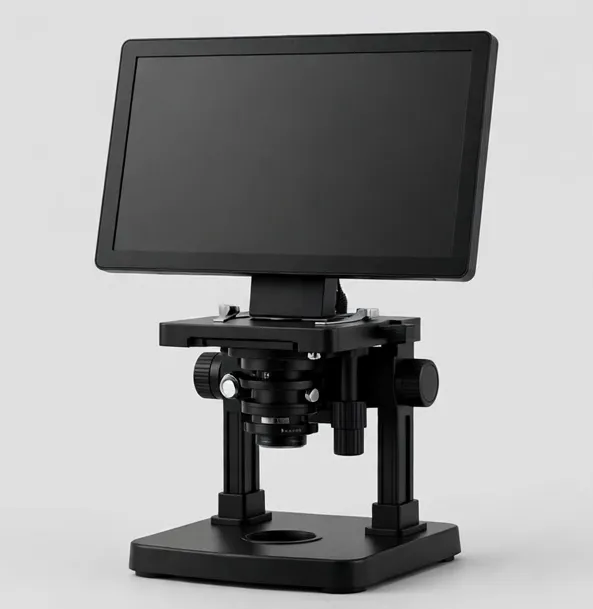
An LCD microscope is the shortest path from unboxing to looking at something interesting: the screen is built in, the image is live, and there is no phone app, driver or computer in the way. That simplicity is why LCD models dominate home benches, classrooms, coin counters and market stalls.
Screen size is the headline choice, and it should follow the room, not the budget alone. A 4.3-inch screen suits personal, close-up work and small desks. A 7-inch screen is the balance most people settle on — large enough to share with one more person, small enough to leave on the bench. A 10.1-inch screen turns the microscope into a presentation tool for classes, training and customers.
Panel quality matters as much as size. IPS panels keep the image accurate when viewed from an angle, which is exactly how a microscope screen is used — rarely straight-on by one person. Brightness and a tilting mount also matter under workshop lighting.
Most LCD microscopes also carry a transmitted LED base light, which opens a second world: prepared slides, thin plant material and translucent specimens, lit from below. If your interests run from coins to pond water, a dual-light LCD model covers both without a second instrument.
A note on numbers you will see everywhere in this category: magnification on LCD models combines the lens with the screen size and digital zoom. A bigger screen literally produces a bigger magnification figure for the same lens. Compare sensor resolution, lens quality, lighting and working distance instead — every Focara product page spells out how its figures are derived.
Where do LCD microscopes earn their keep? At a coin dealer's counter, where a customer can watch their own coin on screen. In a classroom, where a group gathers around one instrument. At a market stall or a club night, where there is no computer and no time for one. On a home bench, where the microscope must justify its footprint by being instantly useful.
If you are choosing between two sizes, measure your bench and your audience rather than your ambition. The 7-inch class is the default recommendation for a reason: it is the smallest screen that reads clearly at arm's length and the largest that disappears politely into a corner. Go bigger for groups, smaller for travel and tight desks — and remember the screen also magnifies: part of every LCD model's headline magnification is simply its display size, which is why our listings separate the optical range from the digital figure.
Battery models deserve a footnote: roughly two hours of untethered viewing is typical, which covers a class period, a club night or a counter session comfortably, and USB power banks extend it indefinitely. If your microscope will live in one place, mains power and a heavier stand serve you better than battery freedom you will never use. Decide where the instrument will actually sit — the answer picks the model more reliably than any specification race.
One last practical check before choosing: the stand's footprint against your bench depth, and the screen's tilt range against your seating height. An LCD microscope is read like a small television — if the screen sits too low or catches a window's reflection, hours of use will find the flaw. The models here use tilting screens and stands sized for real desks; a tape measure at your bench settles the rest before the box is opened.
LCD Screen Microscopes — models
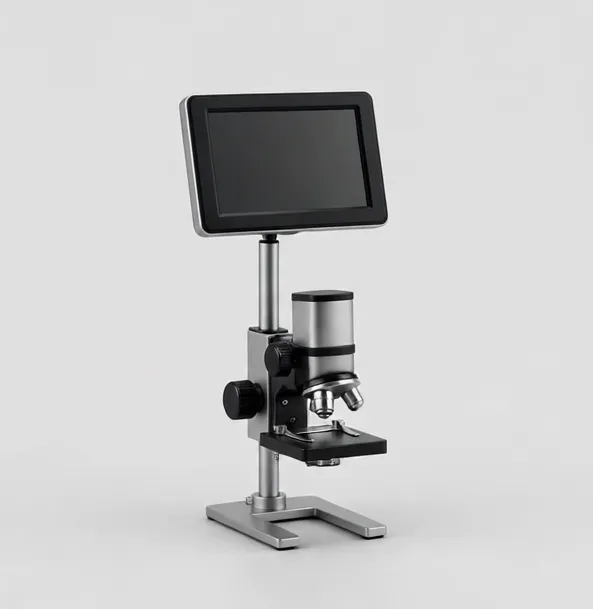
Compact 1080p screen microscope for coins, crafts and first bench work
A small-footprint digital microscope with a 4.3-inch LCD and 1080p photo and video capture. Suited to coins, stamps, craft detail and quick bench checks where a full-size screen would be in the way.
4.3-inch LCD50x–1000xWorking distance to 3.5 in
$44.99
Sample catalog — order confirmed by email
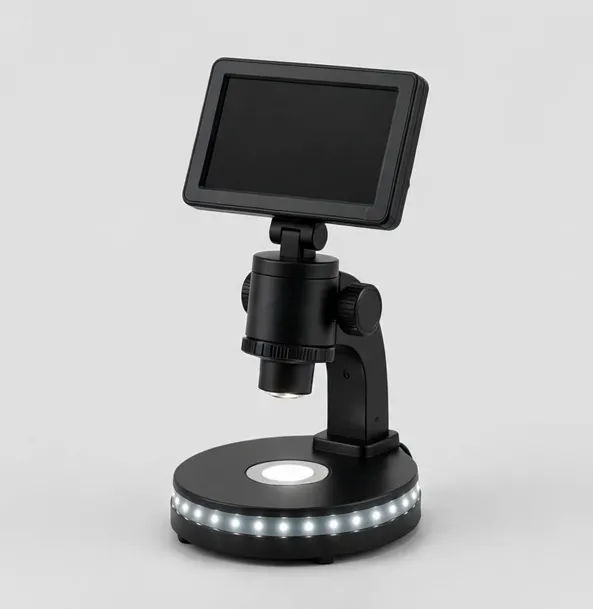
The all-round bench microscope: 7-inch screen, 1080p, LED base
Our most versatile screen microscope. A 7-inch IPS display, 1080p capture, dual lighting and a wireless remote for shake-free photos of coins, boards and small parts.
7-inch IPS LCD50x–1200xWorking distance to 4 in
$79.99
Sample catalog — order confirmed by email
Big-screen 10.1-inch microscope with HDMI output for teaching and shared viewing
A 10.1-inch IPS screen, dual lens options and HDMI output make this the shared-view microscope for classrooms, training benches and detailed coin sessions.
10.1-inch IPS LCD10x–1600x across two lensesWorking distance to 6 in
$169.99
Sample catalog — order confirmed by email
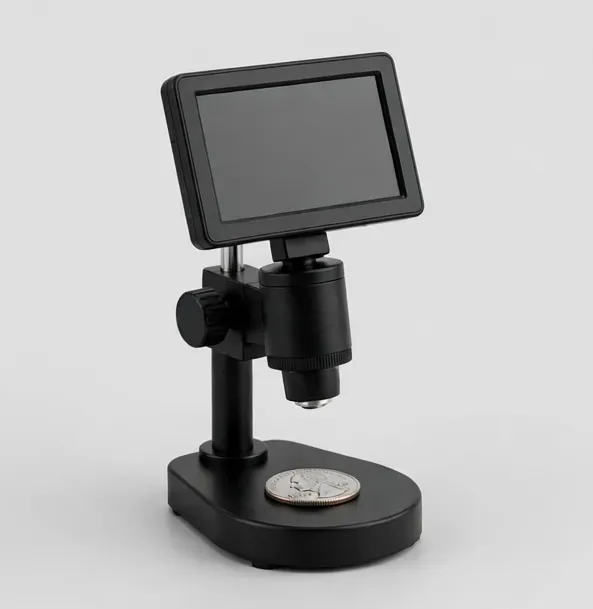
Whole-coin view on screen, with HDMI for closer die and mint-mark study
Built for collectors: a wide field of view that frames a whole large coin on the 7-inch screen, then zooms to mint marks and die details. HDMI output included.
7-inch LCD10x–1300xWorking distance to 5.5 in
$119.99
Sample catalog — order confirmed by email
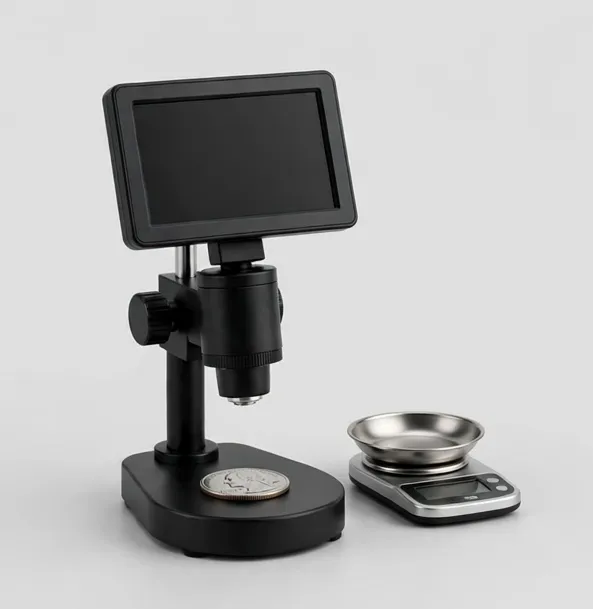
See it and weigh it: 7-inch coin microscope with a 0.001 g bench scale in the box
The CoinView 7 package plus a separate 500 g / 0.001 g precision scale for recording coin weights alongside your photos — a useful first check for suspect pieces.
7-inch LCD10x–1300x
$129.99
Sample catalog — order confirmed by email
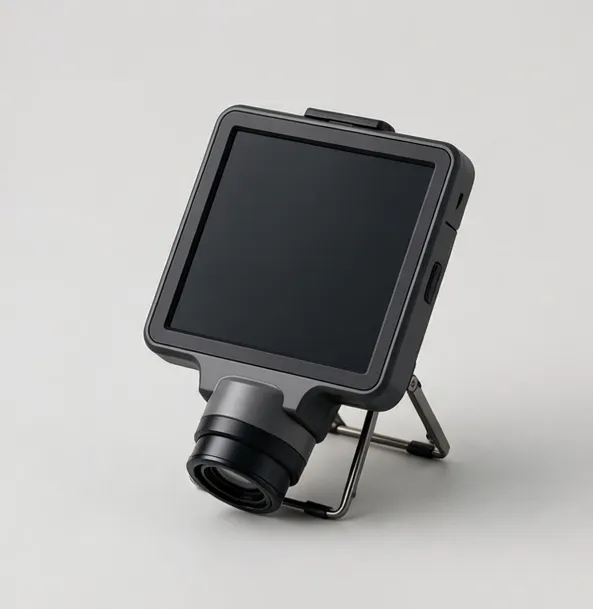
Built-in screen, pocket size: the grab-and-go microscope for the field and the classroom
A self-contained portable microscope with a built-in 4.3-inch LCD and folding stand. No phone needed — a favorite for nature walks, classrooms and coin counters.
4.3-inch LCD50x–1000xWorking distance to 2.5 in
$39.99
Sample catalog — order confirmed by email
Buying guidance: lcd screen microscopes
Pick the screen for the room
4.3 in for solo close work, 7 in as the all-round bench size, 10.1 in when a group needs to watch — classes, training, customers.
IPS panel, tilting mount
Wide viewing angles keep the image honest when two people look from the sides; a tilt adjustment fights bench glare.
Dual lighting
Lens LEDs for surfaces (coins, boards); a transmitted base for slides. Models with both cover the widest range of subjects.
Capture
microSD recording is standard in this class; a wireless remote prevents shake-blurred photos at high magnification.
Battery vs mains
Battery models move between rooms and tables; mains-powered models suit a fixed bench and longer sessions.
Frequently asked questions
What size LCD microscope screen is best?
For most home and bench use, 7 inches is the sweet spot. Choose 4.3 inches for tight desks and personal use, and 10.1 inches when several people need to watch at once, such as a classroom or a shop counter.
Do LCD microscopes need a computer?
No. The screen is built in and the microscope works on its own. Most models can also connect to a computer by USB or mirror to a monitor by HDMI, but neither is required for normal use.
Can an LCD microscope view slides as well as coins?
Models with a transmitted LED base light can do both: light from the lens for solid objects like coins, light from below for prepared slides and translucent specimens. Check the product page for dual lighting.
Why do two LCD microscopes with the same lens list different magnification?
Because the figure includes the screen size and digital zoom. The same lens on a bigger screen reports a bigger number. Compare sensor resolution and the stated optical range instead.
Are LCD microscopes good for soldering?
They work for inspection and light rework, but the built-in screen adds latency and the stand can crowd your hands. For daily soldering, an HDMI camera microscope on an arm is usually the better tool.
Still deciding? Try the Microscope Finder or compare models side by side.