Soldering & Electronics Microscopes
Electronics work sets the strictest brief in microscopy: you must see the joint, reach the joint, and watch your own tools in real time. A microscope for soldering is therefore judged on three things before image quality — working distance, latency and depth perception.
Working distance is the space between lens and board. Below about three inches, a soldering iron, tweezers and a hot-air nozzle start colliding with the optics and each other. The camera microscopes in this category hold 3–10 inches; stereo microscopes hold around 4 inches, extendable with a 0.5x Barlow lens.
Latency separates camera systems from screen systems. A camera feeding a monitor directly by HDMI keeps hand and eye in sync. Routing the image through a computer or phone adds delay that your hands notice instantly. For inspection-only work it hardly matters; for rework, it decides.
Depth perception is the stereo microscope's home advantage: two eyepieces give true three-dimensional vision, so you can judge whether a joint is domed, whether a pin is lifted, whether a component sits flat. Camera systems trade that depth for a shared screen, recording and less neck strain. Many professional benches end up owning both styles for different jobs.
Magnification for board work is modest: roughly 7x–45x optical for stereo, or the equivalent on screen for cameras. Components down to 0402 and fine-pitch ICs are handled comfortably in that range; beyond it, you are mostly enlarging. Lighting completes the setup: a ring light removes the shadows your hands cast across the board, and it is the accessory technicians mention most after the microscope itself.
A note on fume extraction and posture, because benches are systems: magnification brings your face closer to the work, so extraction matters more, not less, under a microscope. Position the extractor to draw across the board, and raise the monitor or adjust the eyepieces so your back stays straight through a long rework session. The best microscope on a painful bench becomes the unused microscope.
Start with your dominant job and be honest about its share of your week. A bench that is 80 percent inspection and 20 percent rework should buy the camera station; one that is 80 percent rework should buy the depth and the arm. The comparison tool on this site puts the candidates' working distances, outputs and stands next to each other — use it with your job percentages in mind.
ESD awareness belongs in a soldering station plan too: benches handling modern boards should be static-controlled, and microscope stands and arms are part of that surface story. Ground your mat, keep the stand inside the protected area, and the microscope integrates into a professional ESD workflow rather than interrupting it. It is a small point that separates hobby setups from production-grade benches.
Finally, match the microscope to the boards you actually see: consumer electronics with big shields and connectors, fine-pitch production boards, or vintage through-hole gear. Each tilts the balance — working distance for the first, magnification headroom and autofocus for the second, depth and patience for the third. Our application pages for electronics repair and phone repair break those benches down job by job, with the station configurations that experienced technicians settle on.
Soldering & Electronics Microscopes — models
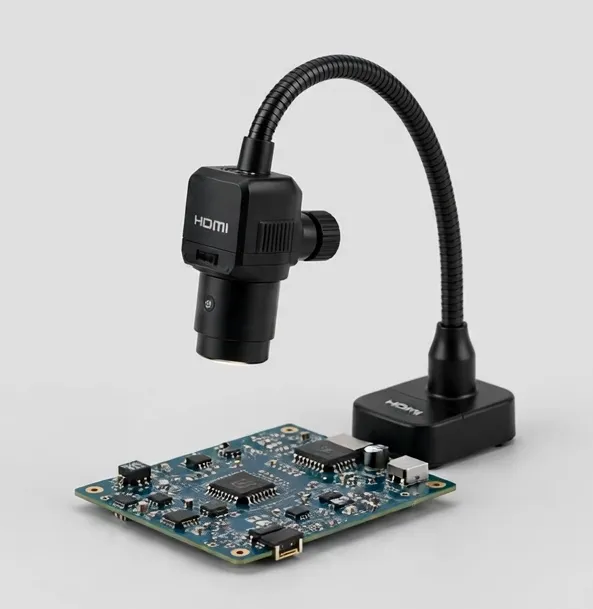
4K HDMI camera microscope on a flex arm — autofocus keeps joints sharp while you work
A 4K HDMI inspection camera on a flexible arm with autofocus and on-screen measurement. Long working distance leaves room for an iron, tweezers and hot air.
None built in — HDMI output to your monitorApprox. 10x–280x optical zoomWorking distance to 8 in
$289.99
Sample catalog — order confirmed by email
Two lenses, one boom arm: wide board view plus high-power detail, on HDMI and USB
A boom-arm camera microscope with two swappable lenses — a wide lens for whole-board orientation and a detail lens for joints — feeding HDMI and USB at once.
None built in — HDMI output to your monitorApprox. 8x–260x optical across two lensesWorking distance to 9 in
$269.99
Sample catalog — order confirmed by email
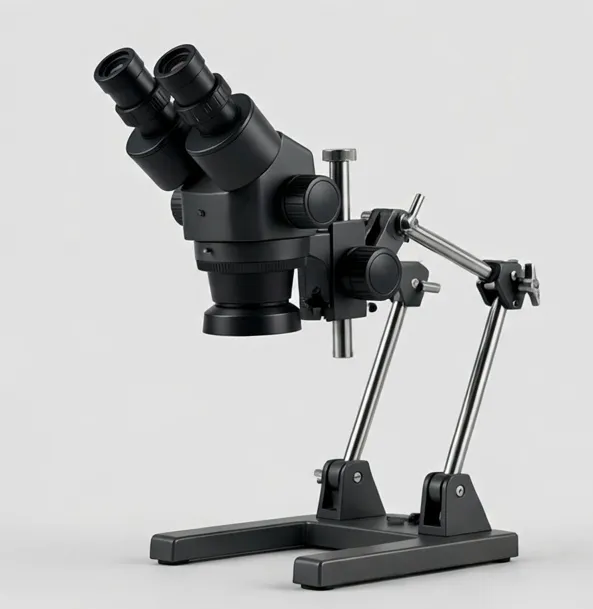
True stereo depth for inspection and repair — continuous 7x–45x zoom on a boom arm
A binocular stereo microscope with continuous 7x–45x optical zoom and a long boom arm. Real depth perception for soldering, jewelry, watch work and inspection.
7x–45x continuous optical zoomWorking distance to 4 in
$649.99
Sample catalog — order confirmed by email
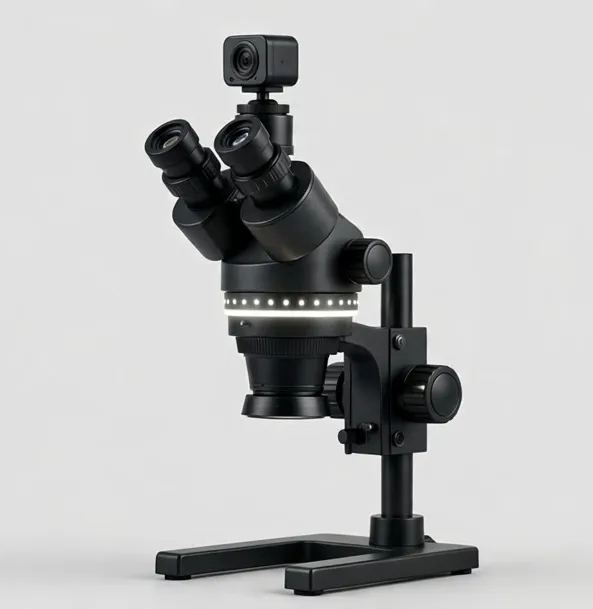
Stereo viewing plus a camera port and ring light — train others while you work
A trinocular stereo microscope (3.5x–90x with included Barlow lenses) with an HDMI camera and LED ring light — demonstrate, record and inspect in one station.
7x–45x optical zoom; 3.5x–90x with included 0.5x and 2x Barlow lensesWorking distance to 4 in
$949.99
Sample catalog — order confirmed by email
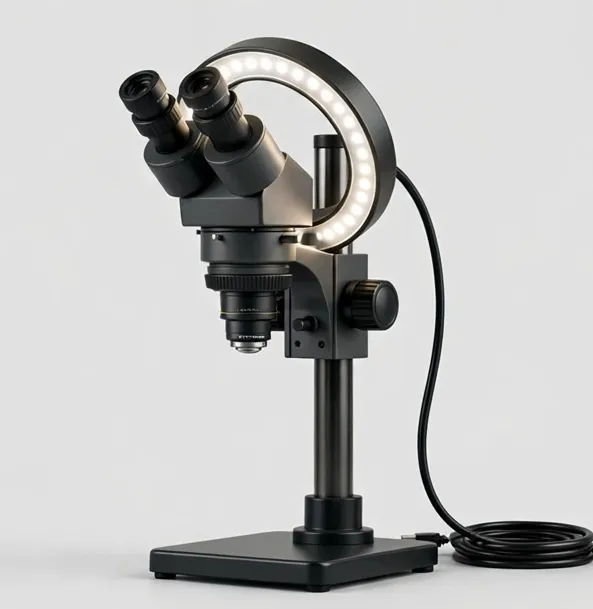
4K inspection with calibrated measurement for QC records and defect documentation
A 4K inspection system with calibrated on-screen measurement, segmented ring light and an XY stage — built for QC documentation on benches and production lines.
Approx. 12x–300x optical zoomWorking distance to 10 in
$1299.99
Sample catalog — order confirmed by email
Buying guidance: soldering & electronics microscopes
Working distance ≥ 3 in
Non-negotiable for iron + tweezers + hot air. Barlow 0.5x lenses increase distance on stereo heads at the cost of magnification.
HDMI direct for rework
Camera → HDMI → monitor is the low-latency chain. Fine for inspection; mandatory for comfortable soldering.
Stereo vs camera
Stereo = true depth for judging joints. Camera = shared view, recording, relaxed posture. Choose by your dominant task.
Boom or flex arm
Arms swing the head over big boards and park it clear. Post stands are steadier for fixed inspection points.
Ring light
Kills hand shadows on the board. Adjustable brightness prevents blowout on shiny solder.
Frequently asked questions
Stereo or digital — which is better for soldering?
Stereo gives true depth perception, which helps judge joints and component seating. Digital (HDMI camera) gives a shared screen, recording and better posture. Technicians doing hours of rework often prefer the camera; precision assembly often prefers stereo. Neither is wrong — the task decides.
How much working distance do I need for soldering?
About 3 inches (75 mm) at minimum so the iron, tweezers and hot air can work under the lens. More is better for large boards and tall components.
What magnification do I need for 0402 components and fine-pitch ICs?
Comfortably within 10x–45x optical. Higher numbers in listings are usually achieved with digital zoom or screen size and do not add usable detail.
Why does the image lag when I solder?
The image is probably passing through a computer or phone app. Feed the camera to a monitor directly over HDMI for the lowest latency.
Do I need a ring light for PCB work?
It is the most recommended accessory for this work. Even, lens-centered light removes the shadows your hands and tools cast, which is where missed joints hide.
Can I use a coin or LCD microscope for soldering?
For inspection and occasional light rework, yes. For daily soldering, the screen lag and short working distance of typical LCD models become tiring; a boom-arm HDMI camera or stereo microscope is the better long-term tool.
Still deciding? Try the Microscope Finder or compare models side by side.