USB Microscopes
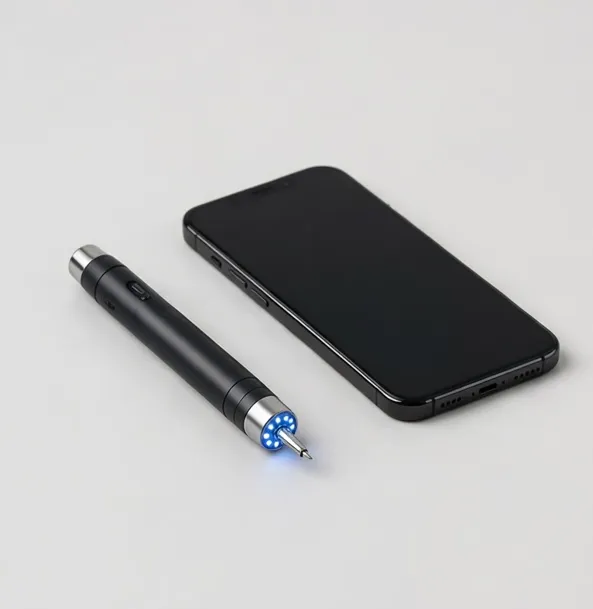
A USB microscope treats your computer as the microscope's screen, filing cabinet and measuring bench. The class spans three designs: bench microscopes that also connect by USB, handhelds that plug in at a desk (and stream over Wi-Fi away from it), and cameras that give an existing optical head a computer view.
The computer connection earns its place in three workflows. First, measurement: calibrated camera software turns the screen into a measuring tool for parts, boards and specimens. Second, documentation: captures file directly into project folders, listings and reports instead of living on a memory card. Third, sharing: a laptop screen or a video call carries the microscope view to people who are not at the bench — remote instruction and client approvals live here.
Compatibility is simpler than it used to be. Most modern USB microscopes are UVC devices: they appear as a standard camera on Windows and macOS with no driver hunt. Maker software adds measurement and capture features on top, and its platform support is stated on every product page — check it if your workflow depends on measurement.
One limitation to plan around: a computer in the image path adds latency and a desk-bound setup. For live soldering, feed a monitor directly by HDMI and use USB for capture. For inspection, teaching and documentation, USB is the flexible standard.
Magnification and resolution claims follow the same rules as the rest of this store: optical range and sensor resolution are stated separately from digital zoom, so a USB microscope can be compared fairly against the LCD and HDMI models it sits beside.
USB is also the archivist's connection. Captures land in the folder you choose, named by your convention, beside the rest of the project's files. Months later, the evidence is findable — a virtue that memory cards in drawers rarely deliver. Labs, repair shops and serious collectors standardize on USB capture for exactly this unglamorous reason.
One practical caution: cable length and port access shape the bench more than expected. A short USB cable tethers the microscope to the laptop's side of the desk; plan the layout, or choose a model that pairs USB capture with HDMI live view so the computer can live where it fits.
Bandwidth and ports are the last practical check: 4K USB capture wants a modern port and a short, quality cable; hubs shared with other hungry devices can throttle a camera. Give the microscope its own port where possible, and if your laptop is port-poor, an HDMI-primary model with USB for capture splits the difference elegantly. These mundane details decide whether a USB station feels seamless or finicky.
Security and updates are the quiet enterprise questions: UVC devices need no drivers, which keeps locked-down school and corporate machines happy, and maker software is an optional layer rather than a requirement. That driver-free property is a genuine procurement advantage in institutions — one more reason USB remains the connective standard across this whole category, from pocket handhelds to laboratory camera stations.
USB Microscopes — models
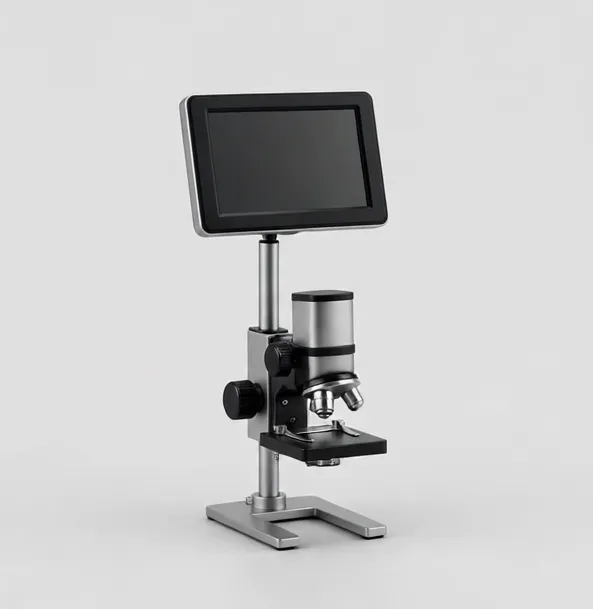
Compact 1080p screen microscope for coins, crafts and first bench work
A small-footprint digital microscope with a 4.3-inch LCD and 1080p photo and video capture. Suited to coins, stamps, craft detail and quick bench checks where a full-size screen would be in the way.
4.3-inch LCD50x–1000xWorking distance to 3.5 in
$44.99
Sample catalog — order confirmed by email
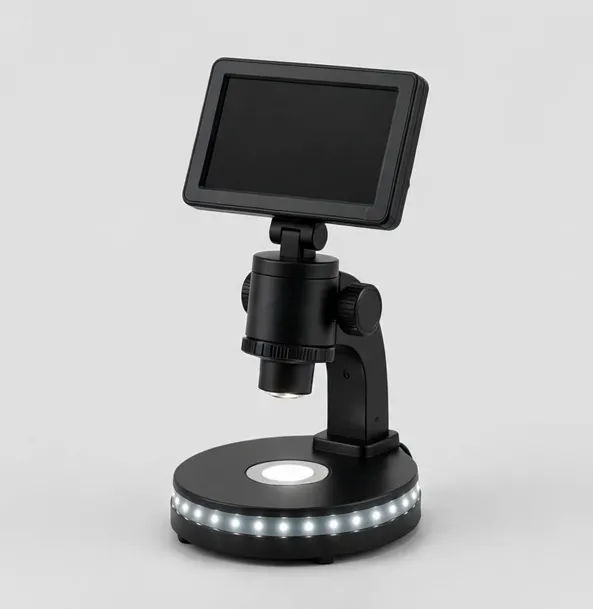
The all-round bench microscope: 7-inch screen, 1080p, LED base
Our most versatile screen microscope. A 7-inch IPS display, 1080p capture, dual lighting and a wireless remote for shake-free photos of coins, boards and small parts.
7-inch IPS LCD50x–1200xWorking distance to 4 in
$79.99
Sample catalog — order confirmed by email
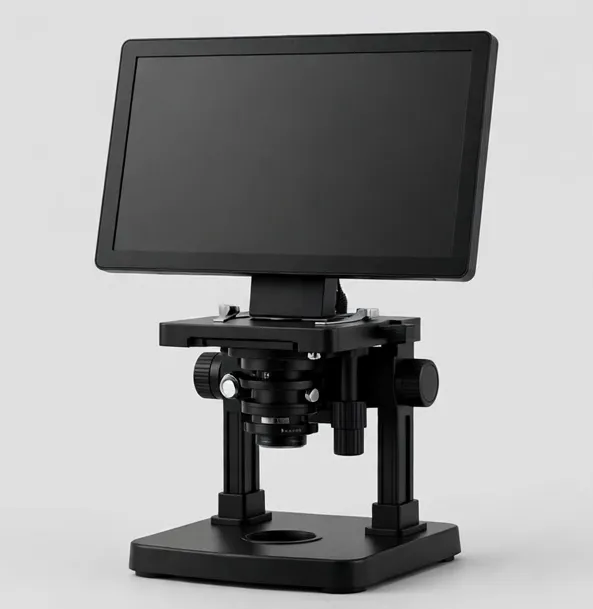
Big-screen 10.1-inch microscope with HDMI output for teaching and shared viewing
A 10.1-inch IPS screen, dual lens options and HDMI output make this the shared-view microscope for classrooms, training benches and detailed coin sessions.
10.1-inch IPS LCD10x–1600x across two lensesWorking distance to 6 in
$169.99
Sample catalog — order confirmed by email
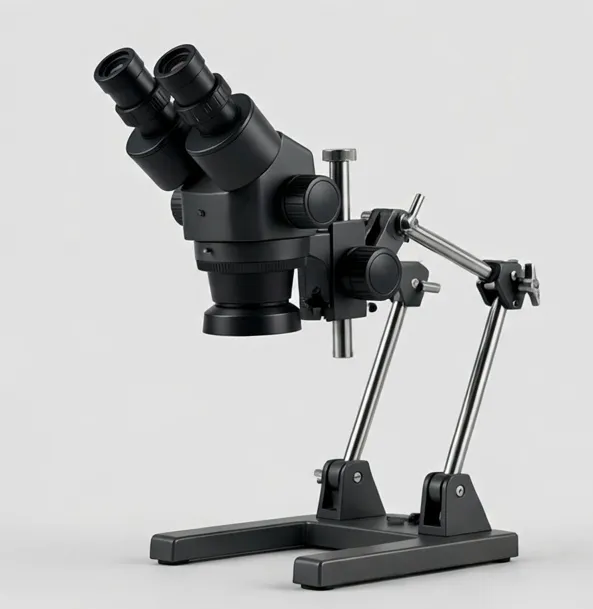
Two lenses, one boom arm: wide board view plus high-power detail, on HDMI and USB
A boom-arm camera microscope with two swappable lenses — a wide lens for whole-board orientation and a detail lens for joints — feeding HDMI and USB at once.
None built in — HDMI output to your monitorApprox. 8x–260x optical across two lensesWorking distance to 9 in
$269.99
Sample catalog — order confirmed by email
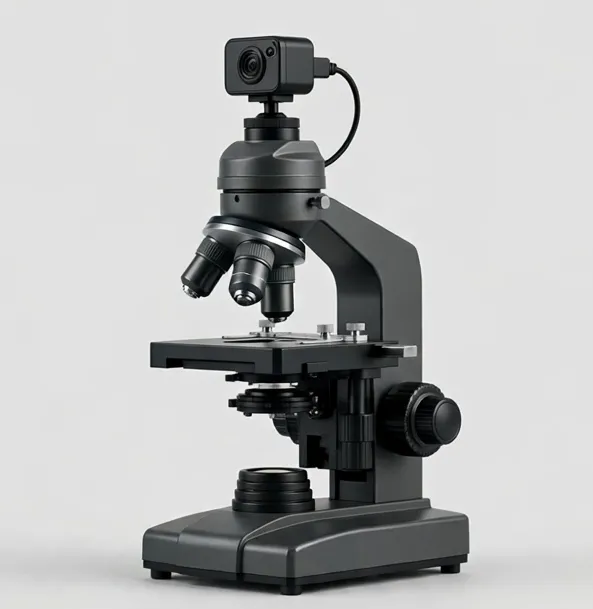
Teach and record at once: trinocular head with a 5MP USB camera included
A trinocular compound microscope (40x–1000x optical) with a 5MP USB camera in the box — demonstrate through the eyepieces while the class watches the screen.
40x–1000x optical
$399.99
Sample catalog — order confirmed by email
The take-anywhere microscope: live view on your phone, USB at the desk
A pocket digital microscope that streams to a phone over Wi-Fi (50x–1000x with digital zoom). Quick looks at coins, plants, textiles and boards, anywhere.
None built in — phone50x–1000xWorking distance to 2.5 in
$39.99
Sample catalog — order confirmed by email
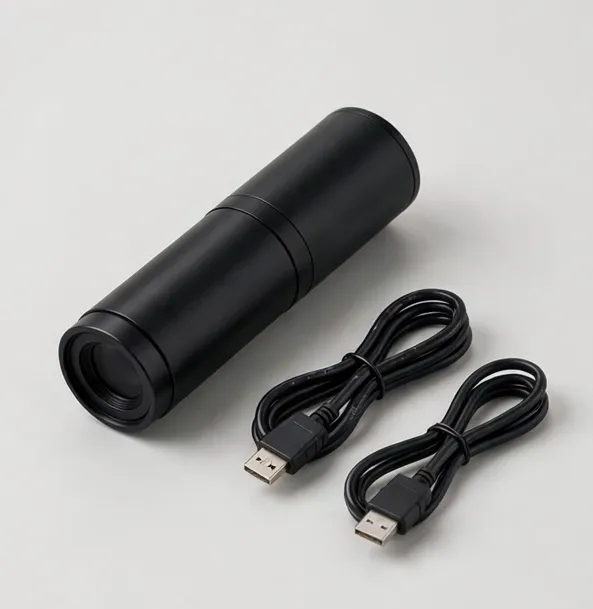
Turn your existing microscope into a 4K camera station
Add 4K HDMI imaging and USB capture to a trinocular or stereo microscope you already own. C-mount and eyepiece adapters included.
— (camera) screen
$279.99
Sample catalog — order confirmed by email
Buying guidance: usb microscopes
UVC = plug and play
Standard-camera (UVC) models work in Windows and macOS camera apps immediately. Maker software adds measurement — check per-model platform support.
Measurement workflow
Calibrate with a stage micrometer at each zoom, then measure and save annotated captures straight into project folders.
Latency plan
For hand work, pair USB capture with direct HDMI viewing. For inspection and teaching, USB alone is fine.
Which design?
Bench + USB for a fixed station; handheld USB/Wi-Fi for mobility; camera USB for an optical head you already own.
Files where you work
USB capture files land in your project structure — the quiet advantage that makes documentation actually happen.
Frequently asked questions
Do USB microscopes work on Mac as well as Windows?
UVC models appear as a standard camera on both. Maker measurement software is more often Windows-first; each product page states its software platform support explicitly.
Can I measure with a USB microscope?
Yes, with measurement software and calibration against a stage micrometer at each magnification. Without calibration, measurements are approximate.
Is USB or HDMI better?
USB for capture, measurement and filing; HDMI for the lowest-latency live view on a big monitor. Many models provide both, and benches commonly use both at once.
Do USB microscopes need drivers?
UVC models do not — the operating system recognizes them as cameras. Maker software is an optional install for measurement and advanced capture.
Can I share the microscope view on a video call?
Yes. A UVC microscope appears as a camera source in common video-call apps, so you can show a specimen or a board live to someone remote.
Still deciding? Try the Microscope Finder or compare models side by side.