Microscope Cameras
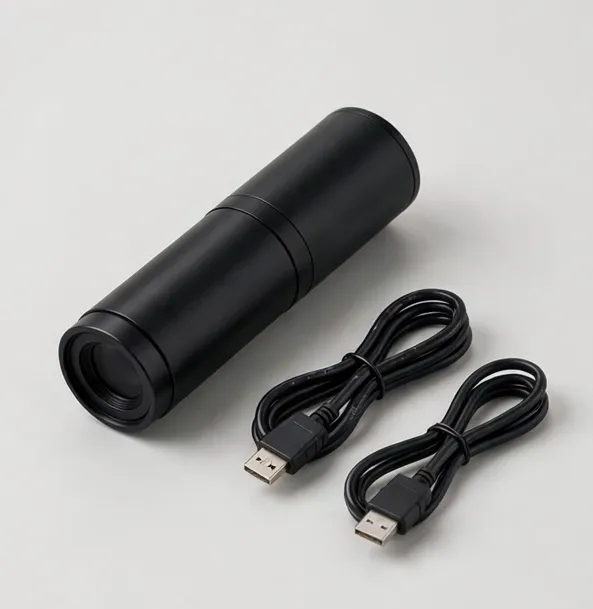
A microscope camera turns a private view into a shared, recorded one. Mounted on a trinocular port or an eyepiece tube, it sends the image to a monitor for a class or a customer, captures stills and video for records, and — after calibration — measures on screen. If you already own a good microscope head, a camera is usually a better investment than a new microscope.
Mounting is the first check. Trinocular ports use a C-mount thread, the cleanest connection. Eyepiece-tube mounting uses an adapter over a 23.2 mm tube and works on many stereo and compound heads. The cameras here include the common adapters; each product page lists its mounts so you can verify your head before ordering.
Sensor and output claims deserve the same honesty as magnification. A 4K sensor behind workshop optics yields a detailed 4K image of what the optics resolve — it cannot invent detail beyond the lens. HDMI output at full resolution with low latency is what makes a camera usable for live work like soldering demonstrations; USB capture suits measurement and filing.
Software is the third consideration. Basic viewing works anywhere (HDMI needs none; USB appears as a standard camera). Measurement needs the maker's software and a calibration slide, and is typically Windows-first; Mac support varies and is stated per product.
Cameras also appear inside this store as parts of complete stations — the trinocular compound and stereo systems include them. Buy a camera alone when your head is good and only the view is private.
A camera also changes how a microscope is taught and supervised: the instructor sees exactly what the student sees, errors are caught at the moment they happen, and a good find can be shown to the whole room in seconds. For service businesses, the same feed becomes a client consultation tool — show the wear, the crack, the corrosion, rather than describing it.
Before ordering, confirm three compatibilities: the mount (C-mount or eyepiece tube size), the software platform if you need measurement, and the output your display expects. All three are stated on each camera's product page — and if your head turns out to be unusual, email us its model before ordering and we will check the fit in writing.
Recording settings are worth ten minutes at setup: choose the capture resolution you will actually archive (1080p files are kinder than 4K for volume), set the file naming your records need, and test playback on the computer that will open the files. QC managers and teachers who do this once avoid the classic archive of unopenable, unnamed clips — the camera's value is in the records, and records are a system, not a sensor.
Video deserves its sentence: for demonstrations and training, smooth motion at the working resolution matters more than headline stills resolution. The cameras here prioritize a clean live feed — that is what an audience watches — with capture following from the same stream. If your primary use is recorded lessons or client walkthroughs, judge demo footage and menu workflow as much as megapixels; the product pages state both the live and recorded specifications separately for that reason.
Microscope Cameras — models
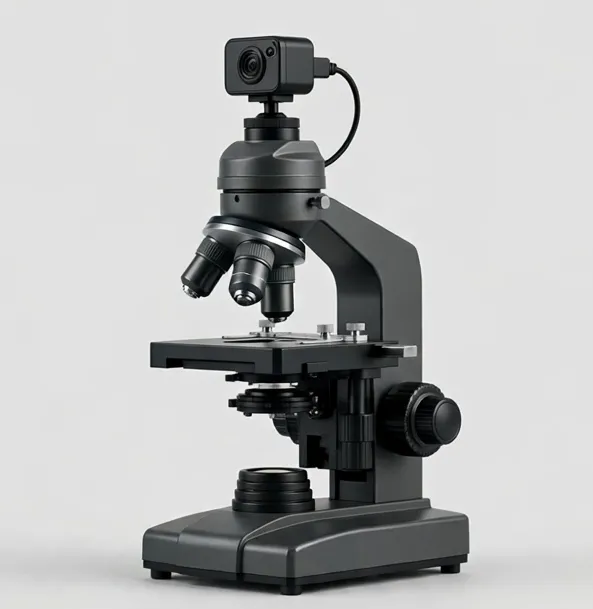
Teach and record at once: trinocular head with a 5MP USB camera included
A trinocular compound microscope (40x–1000x optical) with a 5MP USB camera in the box — demonstrate through the eyepieces while the class watches the screen.
40x–1000x optical
$399.99
Sample catalog — order confirmed by email
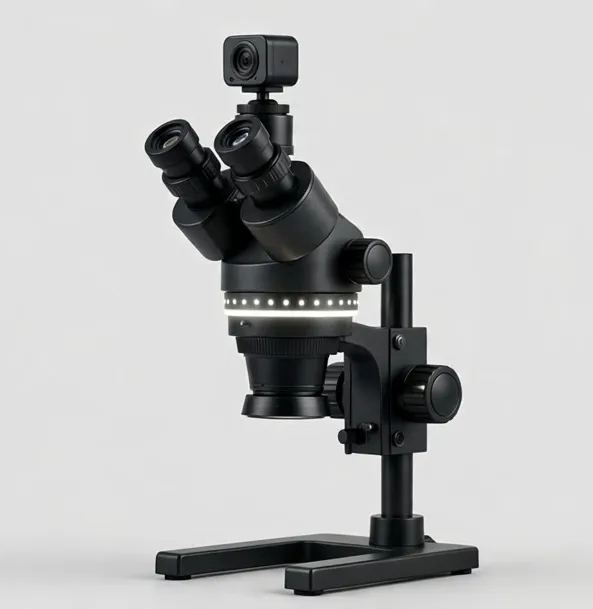
Stereo viewing plus a camera port and ring light — train others while you work
A trinocular stereo microscope (3.5x–90x with included Barlow lenses) with an HDMI camera and LED ring light — demonstrate, record and inspect in one station.
7x–45x optical zoom; 3.5x–90x with included 0.5x and 2x Barlow lensesWorking distance to 4 in
$949.99
Sample catalog — order confirmed by email
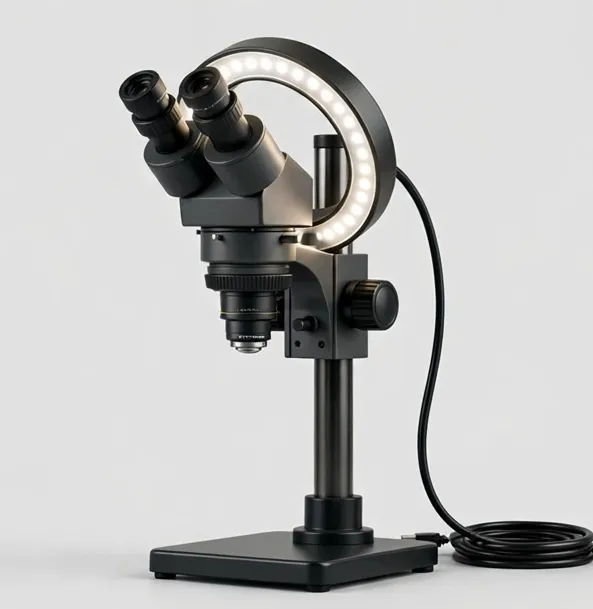
4K inspection with calibrated measurement for QC records and defect documentation
A 4K inspection system with calibrated on-screen measurement, segmented ring light and an XY stage — built for QC documentation on benches and production lines.
Approx. 12x–300x optical zoomWorking distance to 10 in
$1299.99
Sample catalog — order confirmed by email
Turn your existing microscope into a 4K camera station
Add 4K HDMI imaging and USB capture to a trinocular or stereo microscope you already own. C-mount and eyepiece adapters included.
— (camera) screen
$279.99
Sample catalog — order confirmed by email
Buying guidance: microscope cameras
Check your mount
C-mount trinocular port = ideal. 23.2 mm eyepiece tube = adapter route. Verify your head type against the product page before ordering.
HDMI for live, USB for files
HDMI gives a lag-free big screen for work and teaching; USB gives capture and measurement on a computer. Most users want both — all models here offer both.
Resolution realism
The lens limits detail; the sensor samples it. 4K earns its keep on large monitors and for cropping captures later.
Measurement needs calibration
Pair the camera with a stage micrometer and calibrate per magnification. Software platform support (Windows/Mac) is stated per model.
Upgrade vs new station
Good head, private view → camera. No head yet → a complete trinocular or HDMI station is simpler and often cheaper overall.
Frequently asked questions
Will a microscope camera fit my microscope?
It fits if your microscope has a C-mount trinocular port or a standard 23.2 mm eyepiece tube (adapters included for both on the cameras here). Check your head type and the product page mounts before ordering.
Can I use the eyepieces and the camera at the same time?
On a trinocular head, yes — that is its purpose. On an eyepiece-tube mount, the camera occupies that tube, so stereo heads lose one eyepiece view while it is fitted.
Do I need a computer to use a microscope camera?
Not for viewing: HDMI feeds a monitor directly. A computer (USB) is needed for measurement software and convenient file management; microSD recording works without one on most models.
Is a 4K camera worth it on an older microscope?
If the optics are clean and sound, yes for display and documentation — the image will be as detailed as the optics allow, shown large and recorded. It will not exceed the optical resolution of your head.
What software comes with microscope cameras?
Basic capture/viewing software and measurement tools where supported; platform support differs by model and is stated on each product page. Standard UVC output also works with generic camera apps.
Still deciding? Try the Microscope Finder or compare models side by side.